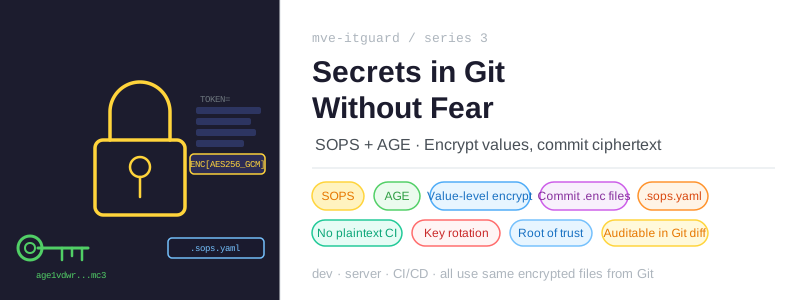
The Problem Every Project Has
Every project that deploys to a real server has secrets. Tokens, passwords, API keys — values that should not be publicly visible but that the application needs to run.
The GitOps approach makes this harder to ignore. If Git is the single source of truth and all configuration lives in the repository, where do the secrets go? Committing them in plaintext is an obvious mistake. Leaving them outside Git means the repository is no longer the complete source of truth — some knowledge lives only in someone’s head or in a separate system.
There are several common answers to this problem, and each has trade-offs.
Environment variables injected at deploy time keep secrets out of Git, but they live in the CI/CD configuration — a GitHub Actions secret, a Jenkins credential, or similar. This works, but it fragments the secret management. When you have many secrets, they accumulate in that external system, disconnected from the code that uses them.
A secrets manager like HashiCorp Vault or AWS Secrets Manager provides a proper audit trail and fine-grained access control. For a team managing a production SaaS product, that is the right choice. For a single-server homelab, it is significant infrastructure to operate just to store a handful of values.
Ignoring the problem is more common than people admit. A private repository, a .gitignore for .env files, and a manual step during setup. It works until someone loses the values, clones the repo on a new machine, or tries to reproduce the setup a year later.
The Approach: Encrypt, Then Commit
The approach used in mve-itguard is different: secrets are encrypted and committed to the repository as .enc files. The ciphertext is safe to store in Git — without the private key, the data is unreadable.
app/security.env.enc          ← Cloudflare token, MQTT host, RTSP password
ops/credentials.env.enc       ← sysadmin password, HA credentials, server host
ops/backup.env.enc            ← Restic node URLs, passwords, HA notification token
infrastructure/gh-self-hosted-runner/ci.env.enc       ← CI runner credentials
infrastructure/gh-self-hosted-runner/deploy.env.enc   ← deploy runner credentials
infrastructure/gh-self-hosted-runner/rotate.env.enc   ← rotation runner credentials
infrastructure/ansible/files/keys.txt.enc             ← the AGE private key itself
ops/github-app-key.b64.pem.enc                        ← GitHub App private key
All of these are committed to the repository. None of them are secret in the Git sense — anyone can read the ciphertext. The secret is the key used to decrypt them.
This means the repository is genuinely complete. Clone it on any machine with the right key, and you have everything needed to understand, modify, and operate the system.
AGE: Simple, Modern Encryption
AGE (pronounced “aghe”) is the encryption tool at the root of this setup.
AGE is designed to replace GPG for file encryption. GPG works, but its interface is notoriously complex, its key management requires a keyring, and its default output mixes ASCII armor, key IDs, and options in ways that are easy to misconfigure. AGE strips all of that away.
An AGE key pair is just two strings. The private key looks like this:
# created: 2026-01-15T09:00:00+01:00
# public key: age1vdwrherzclr8q666yak3pf37n8vl8wmahndq9ytzn7z0c9skvsmsfn8mc3
AGE-SECRET-KEY-1XXXXXXXXXXXXXXXXXXXXXXXXXXXXXXXXXXXXXXXXXXXXXXXXXXXXXXXXXX
The public key is a age1... bech32 string. Encrypt to a public key, decrypt with the corresponding private key. No keyring, no subkeys, no expiry management, no web of trust.
Generating a key:
age-keygen -o ~/.config/sops/age/keys.txt
That file is the root of trust for everything in this project. Losing it means losing access to every encrypted file. It needs to be backed up carefully — in a password manager, on an encrypted USB, or in a secure offline location.
SOPS: The Envelope Around AGE
AGE encrypts files, but it encrypts the entire file as a single blob. That is fine for binary data, but it causes a practical problem for structured configuration: a diff of an encrypted dotenv file tells you nothing. Every single value changed? Or just one? You cannot tell.
SOPS (Secrets OPerationS) solves this by encrypting at the value level rather than the file level. It understands YAML, JSON, dotenv, and binary formats, and it encrypts each value individually while leaving the keys in plaintext.
The result is a file that remains readable as a structure:
CLOUDFLARE_TUNNEL_TOKEN=ENC[AES256_GCM,data:i+OBi+8m...,type:str]
FRIGATE_MQTT_HOST=ENC[AES256_GCM,data:FllHFQ==,...,type:str]
FRIGATE_RTSP_PASSWORD=ENC[AES256_GCM,data:f9y8y7U8...,type:str]
sops_lastmodified=2026-04-04T20:47:32Z
sops_version=3.12.2
You can see which keys exist, when the file was last modified, and which encryption key was used — without being able to read any of the values. A Git diff of a changed secret shows exactly which key changed, nothing more.
SOPS also adds a MAC (message authentication code) across all values. If the file is tampered with — even a single character changed — decryption fails with an integrity error.
Key Discovery: .sops.yaml
SOPS needs to know which AGE public key to encrypt to. Rather than passing it on every command, each directory in the project contains a .sops.yaml file:
creation_rules:
  - path_regex: ".*"
    age: age1vdwrherzclr8q666yak3pf37n8vl8wmahndq9ytzn7z0c9skvsmsfn8mc3
When you run sops -e file.env, SOPS walks up the directory tree from the file’s location until it finds a .sops.yaml. It picks up the AGE public key from that file and encrypts to it automatically.
The project has four .sops.yaml files — one per directory that contains secrets:
app/.sops.yaml
infrastructure/gh-self-hosted-runner/.sops.yaml
infrastructure/ansible/.sops.yaml
ops/.sops.yaml
All four currently point to the same AGE public key. Adding a second authorized machine would mean adding its public key to all four files and re-encrypting — SOPS handles that with sops updatekeys.
Day-to-Day Workflow
Reading a secret
sops -d --input-type dotenv --output-type dotenv ops/credentials.env.enc
This prints the decrypted content to stdout. The AGE private key must be present at ~/.config/sops/age/keys.txt.
Editing a secret
sops app/security.env.enc
SOPS decrypts the file, opens it in $EDITOR, waits for you to save and close, then re-encrypts in place. No intermediate plaintext file is written to disk. This is the preferred way to change a single value.
Encrypting a new file
cd ops
sops -e --input-type dotenv --output-type dotenv credentials.env > credentials.env.enc
rm credentials.env
The plaintext file is deleted after encryption. A .gitignore at the project level catches any *.env file that might be accidentally left behind, and the CI pipeline’s no-plaintext check is an additional safety net:
if git ls-files | grep -E '\.env$'; then
  echo "ERROR: plaintext .env committed — encrypt with sops first"
  exit 1
fi
Where the Private Key Lives
The AGE private key exists in three places, each corresponding to a context where decryption is needed:
Developer machine — ~/.config/sops/age/keys.txt. SOPS looks here by default when SOPS_AGE_KEY_FILE is not set. Anyone with this file can decrypt all secrets in the project.
Production server — /etc/sops/age/keys.txt, owned by root with mode 600. The runner-rotate container mounts this path from the host to perform AGE key rotation. No other container touches it.
CI/CD pipeline — injected from the SOPS_AGE_KEY GitHub Actions secret as an environment variable. The deploy job writes it to disk for the duration of the run, uses it to decrypt security.env.enc, then immediately deletes it:
# Write
mkdir -p ~/.config/sops/age
printf '%s' "$SOPS_AGE_KEY" > ~/.config/sops/age/keys.txt
chmod 600 ~/.config/sops/age/keys.txt

# Decrypt and inject into the deploy command
export $(sops -d --input-type dotenv --output-type dotenv app/security.env.enc)

# Always delete, even on failure
rm -f ~/.config/sops/age/keys.txt
The printf '%s' is intentional — it avoids appending a trailing newline to the key file, which would cause decryption to fail silently.
The Key Is Also Encrypted
There is one more detail worth explaining: the AGE private key itself is stored encrypted in the repository.
infrastructure/ansible/files/keys.txt.enc contains the private key encrypted with… the private key. This sounds circular, but it has a practical use: if you have the key but cannot remember where you stored it or what filename you used, you can recover it by decrypting this file. It is a self-referential backup that costs nothing to maintain — it gets re-encrypted automatically during key rotation.
What This Solves
The result is a repository that is genuinely complete and auditable.
Every secret is versioned in Git. If a value changes, the diff shows which key changed and when. If someone adds a new secret or removes an old one, that is visible in the history. Onboarding a new machine means sharing the private key — and nothing else.
There are no external secret systems to maintain. No Vault server to keep running. No separate credentials database to keep synchronized with the codebase.
The trade-off is that the AGE private key is the single point of failure. Lose it, and every .enc file in the repository becomes permanently unreadable. That key needs to be treated with the same care as any root credential: backed up in at least two independent locations, never committed to Git in plaintext, and rotated if there is any reason to believe it was exposed.
Next in this series: CI Runners That Cannot Hurt Production — how the self-hosted runners are structured to give the deploy pipeline Docker access without exposing production to untrusted code paths.