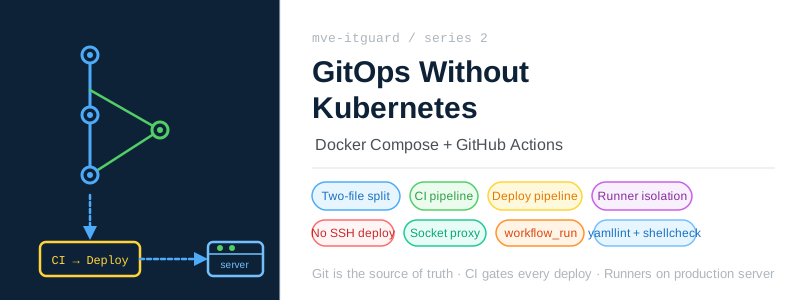
GitOps Is a Principle, Not a Tool
When people talk about GitOps, Kubernetes quickly enters the conversation. FluxCD, ArgoCD, Helm — the ecosystem is rich, and the tooling handles a lot of the heavy lifting. The platform continuously watches the repository and reconciles the cluster state to match what Git declares.
But the underlying principle has nothing to do with Kubernetes specifically. GitOps is simpler than that: Git is the single source of truth. No change happens outside of Git. Automation applies what Git declares.
For mve-itguard, running a full Kubernetes cluster for a home security system would be overengineering. The services are few, the hardware is a single server, and operational simplicity matters more than scalability. Docker Compose is the right tool for this workload.
The challenge, then, was applying the GitOps principle with Docker Compose and GitHub Actions — without a continuous reconciliation operator doing the work automatically.
The Two-File Compose Pattern
The first piece of the design is how the Docker Compose configuration is split across two files.
app/
├── docker-compose.yaml       ← base: service definitions, images, config mounts
├── docker-compose.prod.yaml  ← overlay: ports, persistent data, cloudflared
└── docker-compose.ci.yaml    ← overlay: alternate ports for CI validation
Why split at all?
The base file defines what the services are. It contains image references, environment variables that are safe to set in development, and volume mounts from the repository’s config/ directory.
services:
  homeassistant:
    image: homeassistant/home-assistant:2026.3
    environment:
      - TZ=Europe/Paris
    volumes:
      - ./config/homeassistant/configuration.yaml:/config/configuration.yaml
      - ./config/homeassistant/automations.yaml:/config/automations.yaml
      # ...
The production overlay adds everything that is environment-specific: exposed ports, persistent data paths, secrets injected from environment variables, and the Cloudflare tunnel container that only runs in production.
services:
  homeassistant:
    ports:
      - "8123:8123"
    volumes:
      # Absolute path so data persists independently of the runner workspace
      - /opt/mve-itguard/app/data/homeassistant:/config

  cloudflared:
    image: cloudflare/cloudflared:latest
    command: tunnel --no-autoupdate run --token $CLOUDFLARE_TUNNEL_TOKEN
This separation means a developer can run docker compose up with only the base file and get a working local stack — no ports clashing with a running production deployment, no risk of accidentally touching production data volumes.
The CI overlay
There is a third file used only for CI validation. It mirrors the production overlay but uses different port numbers. This prevents the validation job from conflicting with production services that are already bound to their ports on the same machine.
# CI validation
docker compose -f app/docker-compose.yaml -f app/docker-compose.ci.yaml config --quiet

# Production deploy
docker compose \
  -f app/docker-compose.yaml \
  -f app/docker-compose.prod.yaml \
  -p mve-itguard-prod \
  up -d --remove-orphans --pull always
The -p mve-itguard-prod flag names the Compose project explicitly, which ensures the CI validation stack and the production stack are treated as completely separate namespaces.
The CI Pipeline
Every pull request and every push to main triggers the CI pipeline. It runs two sequential jobs: lint then validate.
push to main / pull request
        │
        ▼
┌───────────────────────────────────┐
│  lint          (runner-ci)        │
│  · yamllint                       │
│  · shellcheck                     │
│  · ansible-lint                   │
│  · no plaintext .env check        │
└─────────────────┬─────────────────┘
                  │ passes
┌─────────────────▼─────────────────┐
│  validate      (runner-ci)        │
│  · docker compose config          │
└───────────────────────────────────┘
Lint
The lint job catches problems before anything runs. It covers four areas:
YAML files — service configs (Frigate, Home Assistant, Mosquitto, Zigbee2MQTT) and Ansible playbooks all go through yamllint. Configuration files that are malformed should never reach the server.
Shell scripts — ops/backup, ops/bootstrap, ops/restore, and the other operational scripts go through shellcheck. Shell is easy to get subtly wrong, and these scripts run as root on the production server.
Ansible playbooks — ansible-lint enforces best practices on the provisioning playbooks.
No plaintext secrets check — this one is deliberately paranoid:
if git ls-files | grep -E '\.env$'; then
  echo "ERROR: plaintext .env committed — encrypt with sops first"
  exit 1
fi
Any .env file tracked by Git is a mistake. The CI pipeline catches it before it reaches the repository history.
Validate
After lint passes, the validate job checks that the Compose configuration is syntactically valid and that all service definitions resolve correctly:
docker compose -f app/docker-compose.yaml -f app/docker-compose.ci.yaml config --quiet
This catches merge errors in the overlay, missing service references, and invalid YAML that slipped past yamllint. It runs with the CI overlay rather than the production overlay — same validation, but isolated from production port bindings.
The Deploy Pipeline
The deploy pipeline is deliberately decoupled from the CI pipeline. It does not run on every push directly. Instead, it is triggered by GitHub’s workflow_run event — it only starts when the CI pipeline completes successfully on main.
on:
  workflow_run:
    workflows: ["CI"]
    types: [completed]
    branches: [main]
  workflow_dispatch:
The workflow_dispatch trigger allows manual deployments without a push — useful for redeploying the same commit when something needs restarting.
Why separate pipelines?
The separation enforces an important invariant: nothing deploys unless CI passes first. With a single pipeline where deploy is just a downstream job, it is easy for a configuration change to accidentally skip validation. The workflow_run coupling makes CI a hard gate.
It also separates concerns for the self-hosted runners, which I will come back to shortly.
Deploy jobs: rotate → deploy
The deploy pipeline runs two jobs in sequence.
The rotate job handles AGE encryption key rotation — detecting whether the key stored on the server matches the key in the GitHub Actions secret, and re-encrypting everything if they differ. This is covered in detail in a separate post in this series.
The deploy job does the actual work:
# 1. Write the AGE key from the GitHub Actions secret
mkdir -p ~/.config/sops/age
printf '%s' "$SOPS_AGE_KEY" > ~/.config/sops/age/keys.txt
chmod 600 ~/.config/sops/age/keys.txt

# 2. Decrypt secrets and deploy
export $(sops -d --input-type dotenv --output-type dotenv app/security.env.enc)
docker compose \
  -f app/docker-compose.yaml \
  -f app/docker-compose.prod.yaml \
  -p mve-itguard-prod \
  up -d --remove-orphans --pull always

# 3. Always remove the key, even on failure
rm -f ~/.config/sops/age/keys.txt
Three things are worth noting here:
First, secrets are never stored on disk between deployments. The AGE key is written, used, and immediately deleted — in a step marked if: always() so it runs even if the deploy fails.
Second, --pull always ensures the latest image is fetched on every deploy. There is no manual image update step.
Third, --remove-orphans removes any containers defined in a previous version of the Compose file but no longer present. Configuration drift between what is running and what Git declares gets cleaned up automatically.
Self-Hosted Runners: Keeping Production Safe
Both pipelines run on self-hosted runners — containers that live on the production server itself. GitHub-hosted runners cannot reach a home server on a private network, so self-hosted runners are required.
But running CI runners with access to production Docker is a significant security risk. A pull request from an external contributor could execute arbitrary code in the CI pipeline. If that runner has Docker access, it can read secrets, inspect containers, or manipulate production services.
The solution is runner isolation:
| Runner | Labels | Docker access | Scope |
|---|---|---|---|
runner-ci | ci | None | Lint + validation only |
runner-deploy | deploy | Via socket proxy | Production deploys |
The CI pipeline runs exclusively on runner-ci. That runner has no Docker socket access and no ability to reach production services. It can check out code and run linters — nothing more.
The deploy pipeline runs on runner-deploy. This runner has Docker access, but only after CI passes, and only through a restricted socket proxy that limits the Docker API to the operations needed for docker compose.
runner-deploy ──TCP:2375──▶ socket-proxy ──unix socket──▶ host dockerd
                             (internal network only)
The proxy allows CONTAINERS, IMAGES, NETWORKS, VOLUMES, POST, INFO, and PING. Direct socket access is never granted.
No SSH in the Deploy Path
One of the core commitments of this setup is that production deployments never require SSH. No one logs into the server to run commands. No deployment script opens a remote shell.
When a commit lands on main, the deploy runner — which is already running on the server — checks out the repository, decrypts secrets, and runs docker compose up. The runner workspace is mounted at /opt/mve-itguard-work on the host, using the same path inside the container. This is required for Docker-out-of-Docker volume resolution: when the deploy runner tells Docker to mount ./config/homeassistant/, Docker resolves that path on the host filesystem, not inside the runner container.
The result is a predictable, auditable deploy process: every change goes through Git, every deploy is triggered by CI, and the production state always reflects what is in the repository.
What This Actually Looks Like in Practice
The day-to-day workflow is straightforward:
- Edit a service config or compose file locally
- Open a pull request — CI runs lint and validate automatically
- Merge to
main— the deploy pipeline triggers within seconds - Services are updated on the server without touching it
The only time SSH is needed is for true operational tasks: troubleshooting a failing container, checking logs that are not surfaced elsewhere, or performing a hardware change. Deployments themselves are fully automated.
This is the GitOps principle applied to Docker Compose: Git drives everything, the pipeline is the operator, and the server’s running state is always a consequence of what the repository declares.
Next in this series: Secrets in Git Without Fear: SOPS + AGE — how every secret in this project is encrypted and committed to version control, without ever exposing plaintext.