The Problem with Commercial Solutions
When I started thinking about home security cameras, the obvious path was a commercial solution — Ring, Nest, or one of the dozens of cloud-connected systems on the market. Plug it in, create an account, and you’re done.
I did not go that route. Not because it is difficult to set up, but because of what it implies: your video footage lives on someone else’s server, your access depends on a subscription, and if the company changes its pricing or shuts down, you lose everything you built around it.
I wanted something different: a system I fully own, that runs on my own hardware, with no cloud dependency for the core functionality.
What mve-itguard Is
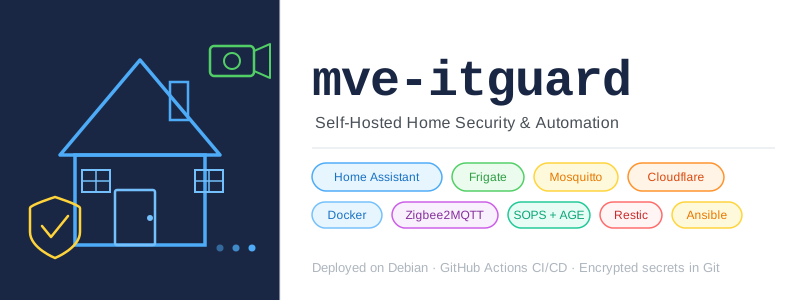
mve-itguard is my self-hosted home security and automation platform. It runs on a single Debian server and combines several open-source tools into a coherent system:
- IP cameras feeding live video streams
- Real-time object detection on those streams
- Home automation that reacts to detections
- Secure remote access from anywhere, without opening a single port on my router
The name comes from the project it was built for. The architecture was designed in collaboration with the hardware owner, so the project carries that identity.
The Services
Home Assistant
Home Assistant is the central hub. It handles automations, stores history, sends notifications, and provides the main user interface — accessible on mobile via its app.
I chose Home Assistant because it has become the de facto standard for self-hosted home automation. The ecosystem is massive: thousands of integrations, an active community, and regular releases. It is also the natural place to tie together cameras, Zigbee sensors, and automations in one interface.
Frigate
Frigate handles the video side. It connects to IP cameras via RTSP streams and runs object detection on every frame using AI models. When it detects a person, a car, or an animal, it publishes an event on MQTT.
What makes Frigate the right choice here is the combination of real-time detection and local processing. No footage leaves the server. Detection results flow directly to Home Assistant through the message broker, enabling automations that respond to specific events rather than just motion.
One important note: Frigate’s AI detection requires enough CPU or a hardware accelerator. This is why a proof of concept on the target hardware was necessary before committing to the full setup. Object detection is not free — it has to be validated for the specific machine.
Mosquitto
Mosquitto is the MQTT broker. It sits between Frigate and Home Assistant, routing detection events as messages.
MQTT is a lightweight publish/subscribe protocol designed for IoT. Frigate publishes detection events to topics. Home Assistant subscribes to those topics and triggers automations. This decoupling means Frigate and Home Assistant do not talk to each other directly — they communicate through the broker, which keeps the architecture clean and each component independent.
Zigbee2MQTT
Zigbee2MQTT bridges Zigbee devices (sensors, switches, lights) into the MQTT network. Zigbee is a low-power wireless protocol used by a huge range of smart home devices.
Rather than relying on proprietary hubs for each device brand, Zigbee2MQTT gives a single, vendor-neutral bridge that publishes device state to MQTT. Home Assistant picks it up from there. One bridge, all devices.
Cloudflare Tunnel
Cloudflare Tunnel provides secure remote access to Home Assistant without opening any ports on the router.
The tunnel establishes an outbound connection from the server to Cloudflare’s network. Cloudflare handles the public-facing domain, TLS, and DDoS protection. From the server side, there is nothing exposed — no open ports, no port forwarding, no exposed IP address.
Only Home Assistant is accessible remotely. Frigate communicates internally through Docker networking and is never exposed.
The Architecture
The system runs on a single Debian server. The two network separation is an important design principle:
- A local network for cameras, sensors, and relays
- A remote access network used exclusively for secure access to services
Cameras stay on their own network segment. The server is the only bridge between them and the automation layer. This limits the blast radius if any device is compromised — a camera cannot reach the rest of the home network directly.
Internet / Mobile app
        │
        │ Cloudflare Tunnel (Home Assistant only)
        ▼
┌───────────────────────────────────────┐
│  Debian Server                        │
│                                       │
│  homeassistant ◄── MQTT ──► mosquitto │
│       ▲                        ▲      │
│       │                        │      │
│    frigate                zigbee2mqtt │
│       ▲                        ▲      │
│       │                        │      │
│  IP cameras (RTSP)      Zigbee devices│
│  [isolated network]     [local]       │
└───────────────────────────────────────┘
Everything runs as Docker containers orchestrated with Docker Compose. The configuration is version-controlled in Git. Deployments happen automatically when code is pushed — no manual SSH, no running commands on the server by hand.
Why Docker Compose and Not Kubernetes
This is a question I considered carefully, given that I have a parallel learning project built on K3s.
The answer is pragmatic: this is a production system for a real home, not a learning environment. The priority is reliability and simplicity of operation, not exploring new technology. Docker Compose is well understood, easy to troubleshoot, and sufficient for the workload.
Kubernetes would add complexity without adding value here. The services do not need horizontal scaling. There is no multi-node compute requirement. If Frigate needs more CPU, the solution is better hardware, not more pods.
Using the right tool for the job, even when a more sophisticated tool exists, is part of being a good engineer.
What Is Coming in This Series
This post is the first in a series covering how mve-itguard was designed and built. Each post focuses on a specific part of the system:
- This post — What it is and why
- GitOps Without Kubernetes — Docker Compose-based CI/CD with GitHub Actions
- Secrets in Git Without Fear — SOPS + AGE for encrypted secrets committed to version control
- CI Runners That Cannot Hurt Production — Isolated self-hosted runners with Docker socket proxy
- One Command to Provision a Server — The bootstrap script and Ansible provisioning
- Automated AGE Key Rotation in CI — Detecting and rotating encryption keys through the pipeline
- Multi-Node Backup with Restic — Append-only backups across redundant nodes via Cloudflare Tunnel
The goal of this series is not just to document what was built, but to explain the reasoning behind each decision — so the design choices make sense, and so someone facing the same constraints can learn from them.